Seedance 2.0 vs. Kling 3.0: Which AI Video Tool Is Better in 2026?
Seedance 2.0 vs. Kling 3.0: compare multimodal references, multi-shot storytelling, native audio, subject consistency, API control, and AI video production workflows.
Kling 3.0 is the better default choice for cinematic, multi-shot video. Seedance 2.0 is the better specialist choice when your workflow depends on combining text, images, video, and audio references in one generation process.
If you need shot-by-shot direction, native audio, subject consistency, and a longer narrative window, choose Kling 3.0. If you need a single creative workflow that blends several reference types and supports joint audio-video generation, choose Seedance 2.0.
This comparison focuses on the decision that matters to creators and developers: which model is more suitable for a specific production job, not which model has the longest feature list.

Kling 3.0 Wins for Most Directed Video Projects
For most teams producing advertisements, storyboards, social campaigns, product scenes, or short narrative sequences, Kling 3.0 is the stronger overall choice.
Kling’s official product materials emphasize:
Custom multi-shot generation
Subject consistency controls
Native audio
Character lip-sync capabilities
Up to 15 seconds of generation in the VIDEO 3.0 workflow
Structured control over cinematic sequences
These capabilities make Kling 3.0 easier to use when the creative brief already has a clear sequence of shots.
Seedance 2.0 becomes the better choice when the input itself is complex. ByteDance describes Seedance 2.0 as a unified multimodal audio-video model that accepts text, image, audio, and video inputs. That makes it particularly attractive for reference-heavy work, audio-led concepts, and edits that depend on several media types at once.
Choose Kling 3.0 if you need:
- Multi-shot narrative control
- Camera and scene continuity
- Native audio in the generated result
- Character-driven action
- A structured production workflow
Choose Seedance 2.0 if you need:
- Text, image, video, and audio references in one workflow
- Audio-visual co-generation
- Reference-based editing or continuation
- Fast concept exploration from mixed media
- A more flexible creative input process
Seedance 2.0 vs. Kling 3.0 at a Glance
| Decision factor | Seedance 2.0 | Kling 3.0 | Winner |
|---|---|---|---|
| Core workflow | Unified multimodal audio-video generation | Structured cinematic and multi-shot generation | Depends on workflow |
| Text, image, video and audio references | Officially emphasized by ByteDance | Available capabilities vary by product/API mode | Seedance 2.0 |
| Multi-shot direction | Supported as part of the creative workflow, but exact API controls should be checked | Officially emphasized through Custom Multi-Shot | Kling 3.0 |
| Native audio | Officially emphasized | Officially emphasized | Tie |
| Character and subject continuity | Reference-based continuity | Subject consistency controls are a core feature | Kling 3.0 for directed sequences |
| Duration | Verify the current model/API limit | Official Kling materials describe up to 15 seconds for VIDEO 3.0 | Kling 3.0 |
| Resolution | Do not assume a universal limit; verify the selected endpoint | Do not assume every Kling endpoint has the same output options | Tie until tested |
| Pricing | Check the current provider price | Check the current provider price and audio options | Depends on endpoint |
| Best use case | Mixed-media references and audio-led creation | Cinematic shots and structured narratives | Depends on project |
What Seedance 2.0 Does Better
ByteDance’s official Seedance 2.0 page describes a unified multimodal audio-video joint generation architecture. The model is designed to use text, images, audio, and video as part of one creation process.
That difference matters when your creative brief contains more than a text prompt and a single image.

Mixed-media reference workflows
A Seedance 2.0 project can be built around several types of creative evidence:
- An image for the character or product
- A video for movement or camera direction
- Audio for speech, rhythm, music, or sound design
- Text for scene instructions and creative intent
This is useful for product demonstrations, music-led concepts, branded characters, and footage continuation.
The important distinction is not simply that Seedance accepts multiple input types. The advantage is that the references can participate in the same generation logic. That reduces the need to manually separate every creative decision into independent stages.
Audio-visual co-generation
Seedance 2.0 is a strong fit when sound is part of the concept rather than a finishing step.
For example, a creator may want:
- A performer’s movement to follow a musical rhythm
- A product animation to include synchronized effects
- A character performance to match a voice reference
- A short scene in which sound and visual action are developed together
The exact quality of synchronization depends on the source material and the current generation interface, but the model’s unified audio-video positioning gives Seedance a clear strategic advantage for these workflows.
Reference-based editing and continuation
ByteDance also presents Seedance 2.0 as a model for reference-driven editing. In practice, this means the model can be evaluated not only as a text-to-video generator, but also as a tool for transforming, extending, or restyling existing creative material.
That makes Seedance 2.0 more attractive for teams that already have:
- Rough footage
- Character references
- Location images
- Product photography
- Audio sketches
- Existing visual styles
The trade-off is control granularity. Seedance is excellent at accepting a rich creative package, but a mixed-media prompt does not automatically provide the same shot-by-shot predictability as a dedicated multi-shot workflow.
What Kling 3.0 Does Better
Kling 3.0 is designed around a more structured idea of video creation. The official Kling materials focus on cinematic multi-shot generation, subject consistency, native audio, and longer short-form sequences.
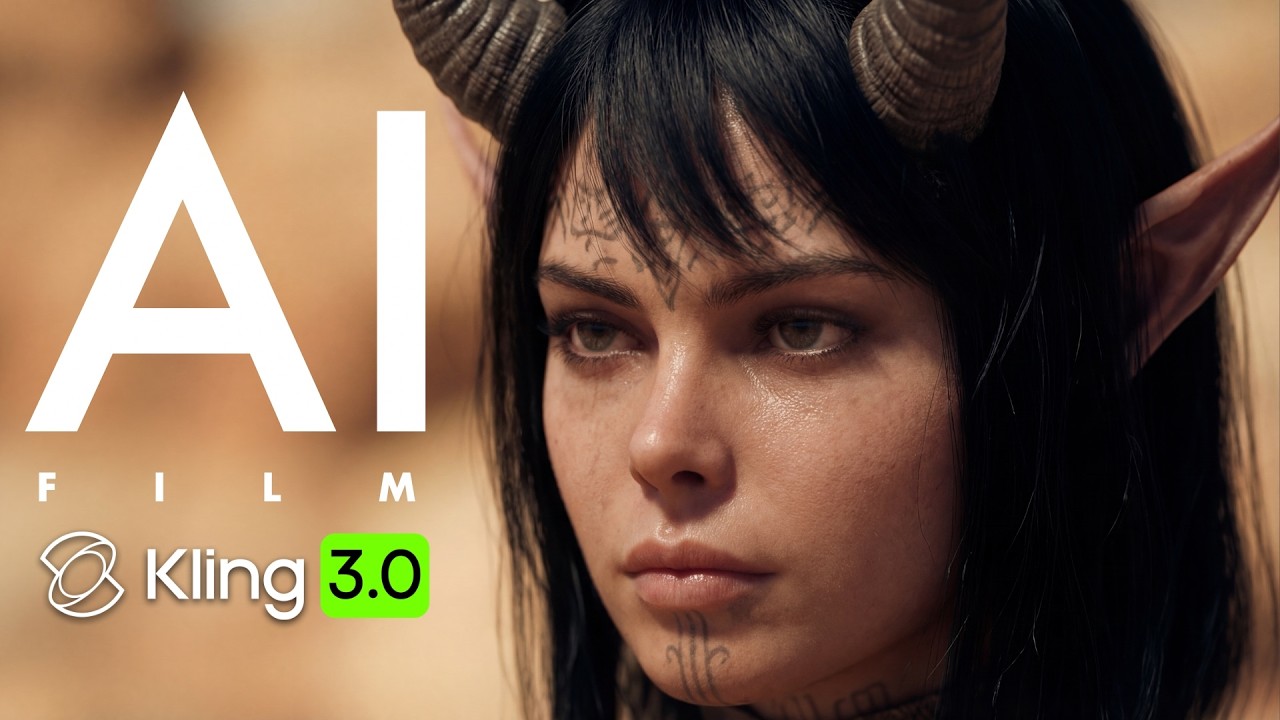
Multi-shot narrative control
Kling 3.0 is the better fit when the project already has a defined shot list.
A typical sequence might include:
- A wide establishing shot
- A tracking shot following the subject
- A close-up for an emotional beat
- A final product or narrative reveal
The value of Kling’s multi-shot workflow is that each shot can have a defined purpose. This gives creators a clearer way to describe scene order, action, framing, and transitions before rendering.
Subject consistency and cinematic movement
Kling 3.0 is especially useful when the same character, object, or visual subject must remain recognizable while the camera and action change.
That is important for:
- Fashion and product campaigns
- Character-led advertisements
- Short action scenes
- Storyboard visualization
- Social videos with multiple camera angles
No generative video model guarantees perfect continuity in every render. However, Kling’s product positioning makes subject persistence and cinematic direction central to the workflow rather than secondary features.
Native audio and lip-sync
Kling’s official VIDEO 3.0 materials highlight native audio and character lip-sync. This gives Kling 3.0 an advantage for scenes where dialogue, action, and sound need to be planned together.
It is a particularly strong choice for:
- Dialogue scenes
- Character introductions
- Short narrative advertisements
- Music and performance clips
- Scenes with synchronized effects
Before production, verify whether the required audio mode, voice option, language, or lip-sync function is available in the specific Kling web product or API endpoint you plan to use.
Direct Comparison by Production Task
Best model for cinematic advertisements: Kling 3.0
Choose Kling 3.0 for a commercial that requires a consistent product, several planned shots, controlled camera movement, and a final audio-visual sequence.
Its structured multi-shot approach maps more naturally to a commercial storyboard.
Best model for music videos and audio-led concepts: Seedance 2.0
Choose Seedance 2.0 when music, voice, or sound references are central to the creative direction and need to be considered alongside images and video.
Seedance is better suited to a brief that begins with “use these visual and audio references together.”
Best model for character continuity across planned shots: Kling 3.0
For a character who must appear in several camera setups, Kling 3.0 is the safer first test because subject consistency and multi-shot creation are explicit parts of its current product positioning.
Best model for mixed reference inputs: Seedance 2.0
For a project that includes a product image, movement reference, sound clip, and written direction, Seedance 2.0 is the more natural starting point.
Best model for developers building a predictable pipeline: Kling 3.0
Kling 3.0 is generally easier to model as a production pipeline when every job has explicit shot boundaries, duration requirements, and a defined output structure.
Seedance 2.0 can still work well in a developer workflow, but its value is strongest when the application needs to pass heterogeneous creative references rather than only a structured shot list.
Resolution, Pricing, and API Availability: What You Should Not Assume
The original comparison treated resolution and price as fixed model properties. That is risky.
A model may expose different capabilities through:
- Its consumer web application
- Its official API
- A third-party inference provider
- A regional deployment
- A specific subscription tier
- A preview or production endpoint
Therefore, do not publish claims such as “Seedance is limited to 720p,” “Kling is always 1080p,” or “Kling is cheaper per second” unless you attach a current source that clearly states:
- Model name and version
- Endpoint or provider
- Resolution
- Duration
- Audio mode
- Currency
- Date checked
- Any plan or regional restrictions
For implementation work, start with the Kling API documentation and the official Seedance 2.0 page. If you use a unified platform such as OctopusX.ai, confirm the currently supported model IDs, parameters, billing rules, and data-retention policy in your account documentation before promising compatibility to customers.
A Fair Test Before You Commit to Production
A meaningful test should use the same:
- Source image or character reference
- Prompt intent
- Clip duration
- Aspect ratio
- Audio requirement
- Number of retries
Quality threshold
Evaluate the results using production metrics rather than a single impressive sample:
| Metric | Why it matters |
|---|---|
| Subject consistency | Determines whether a character or product survives across frames |
| Motion stability | Reveals broken limbs, drifting objects, and temporal artifacts |
| Camera control | Shows whether the model follows the intended shot direction |
| Audio synchronization | Measures dialogue, music, and effect alignment |
| Successful-render rate | Captures how often a usable result is produced |
| Total cost per usable clip | Includes retries, failed jobs, and post-processing |
| End-to-end latency | Includes uploads, queue time, rendering, and downloads |
A simple conclusion from one demo is not enough. The best model is the one that produces a usable result at an acceptable cost and failure rate for your actual workload.
Final Recommendation
Choose Kling 3.0 for most cinematic and narrative video production. It is the stronger default when you need multi-shot planning, subject consistency, native audio, lip-sync, and a clear shot structure.
Choose Seedance 2.0 when multimodal references are the main challenge. It is the stronger specialist when text, images, videos, and audio must work together in one creative generation workflow.
The practical decision is simple:
Kling 3.0 = better director’s tool
Seedance 2.0 = better multimodal reference engine
If you are selecting only one model for a new production pipeline, start with Kling 3.0. If your projects regularly combine visual references with music, voice, or existing footage, run Seedance 2.0 as a second model or fallback route.
FAQs
Is there anything better than Kling AI?
There is no single AI video tool that is better than Kling AI for every task. Kling 3.0 is one of the strongest options for cinematic motion, multi-shot generation, subject consistency, native audio, and short narrative sequences.
However, other tools may be better for specific requirements:
Seedance 2.0: Better for combining text, image, video, and audio references.
Google Veo: May be preferable for users already working inside Google’s AI ecosystem, depending on access and current model availability.
OpenAI Sora: May be useful for certain creative ideation and visual storytelling workflows, subject to current access and product limits.
Specialized image-to-video tools: May be more suitable for simple product animation or social-media clips.
For most developers and creative teams, Kling 3.0 should be compared based on usable output, consistency, latency, total cost, and API availability, rather than demo quality alone.
What are the key differences between Kling 3.0 and Kling 3.0 Turbo?
Kling 3.0 is generally positioned for maximum quality and control, while Kling 3.0 Turbo is typically optimized for faster generation or lower operating cost. However, the exact difference depends on the specific Kling product page or API endpoint.
In practical terms:
| Factor | Kling 3.0 | Kling 3.0 Turbo |
|---|---|---|
| Main priority | Quality and creative control | Speed and efficiency |
| Best for | Final-quality production shots | Drafts, previews, and high-volume testing |
| Cost | May be higher | May be lower, depending on provider |
| Latency | May take longer | Usually designed for faster responses |
| Quality consistency | Better choice when quality is critical | May involve trade-offs in detail or motion |
| Recommended workflow | Final renders | Prototyping and iteration |
Use Kling 3.0 Turbo when you need to test many ideas quickly. Use the standard Kling 3.0 model when the output will be used in a final advertisement, client presentation, or published campaign.
Because “Turbo” naming can differ across web and API products, verify the current model ID, resolution, duration limits, and pricing in the official Kling API documentation.